Fresh out of the oven
Spot a bug? These tools are new, so the odd thing may still wobble. If something looks wrong, it probably is. Tell us and we will sort it..
Fresh out of the oven
Spot a bug? These tools are new, so the odd thing may still wobble. If something looks wrong, it probably is. Tell us and we will sort it..
Fresh out of the oven
Spot a bug? These tools are new, so the odd thing may still wobble. If something looks wrong, it probably is. Tell us and we will sort it..
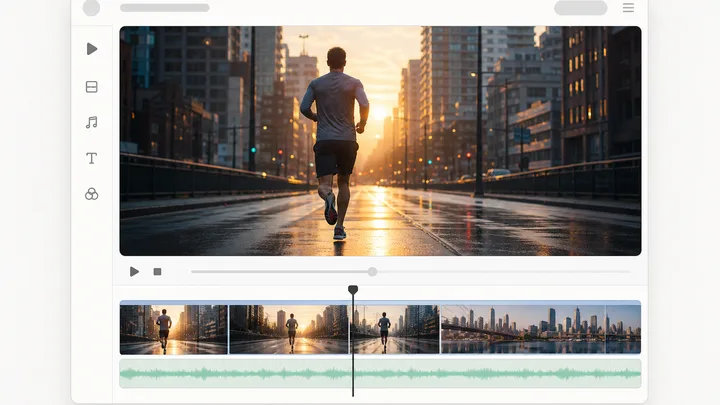
Video Cloner rebuilds a clip you upload. The timing, the camera moves and the cut rhythm carry over, and every frame is generated fresh with your own product swapped in for the one the reference sells. Up to 30 seconds comes back as one continuous take with sound. It defaults to 1080p HD, with a Quality setting for 720p or 480p and an optional voice match.
The tool is open above. This is the short version of what to do with it.
Drop an MP4, MOV or WebM under 200 MB. It uploads behind a progress bar you can cancel, and the fields below stay editable meanwhile.
Name the beat that has to survive, like the unboxing motion or the exact offer line, plus anything you want changed. It rides on the reference.
The reference's own audio is transcribed into this box on upload. Edit it, clear it, or leave it and those words are the ones spoken back.
Your source sets shots and timing. Add references, describe changes in Intent, then choose quality and generate. Render time depends on length and provider load.
Short answers to what people ask before they start.
MP4, MOV and WebM, up to 200 MB. The file goes to storage over a signed upload, so a large clip never passes through a form post, and you can cancel partway and pick a different one. The reference also has to belong to the project you are working in, and the action checks that before any render starts.
Your product still, and only that. It is the one reference image a clone attaches. The presenter and backdrop from your pack are left out on purpose: holding that face and that room for the whole take would overwrite the two things the uploaded video is there to supply.
Up to 30 seconds, and you do not set the length: framing and look are taken from the reference, because the engine inherits the source's shape once a video is attached. It comes back as one continuous 1080p HD take with sound, no stitch seam (a Quality setting offers 720p or 480p). A 30 second clone is roughly a 10 to 14 minute render, and it runs off the request, so leaving the page does not kill it.
What carries over is structure: the timing, the camera moves, the cut rhythm and the intensity of the performance. Every frame is generated fresh, so you end up with a different video that moves the same way. You still write the Intent, and the rights on whatever you upload are yours to clear.
A render that fails to produce a clip fails the run and shows the reason. A provider refusal does not silently substitute an unrelated video. The charge is keyed to a rendered output file, so a pass that produces nothing is not billed for a clip it never made.
In the results panel beside the run, and in your project Library. That grid renders the same tile the canvas uses, so a clone arrives with analyze, edit, download and publish already on it. It refreshes on a live project event rather than a page reload, so the clip appears on its own once the render commits.
The rest of the family. Every one is free to try and runs on the same engine.